WP Stripe Cart
If you want sell only a few products on your site, setting up e-commerce system like woo-commerce is too much to do.
WP Stripe Cart is your perfect choice!
Manage your products on Stripe, and sell it on your WordPress site.
No coding skill is required, only thing you need is product ID from Stripe and insert shortcode to you post or page with that product ID.
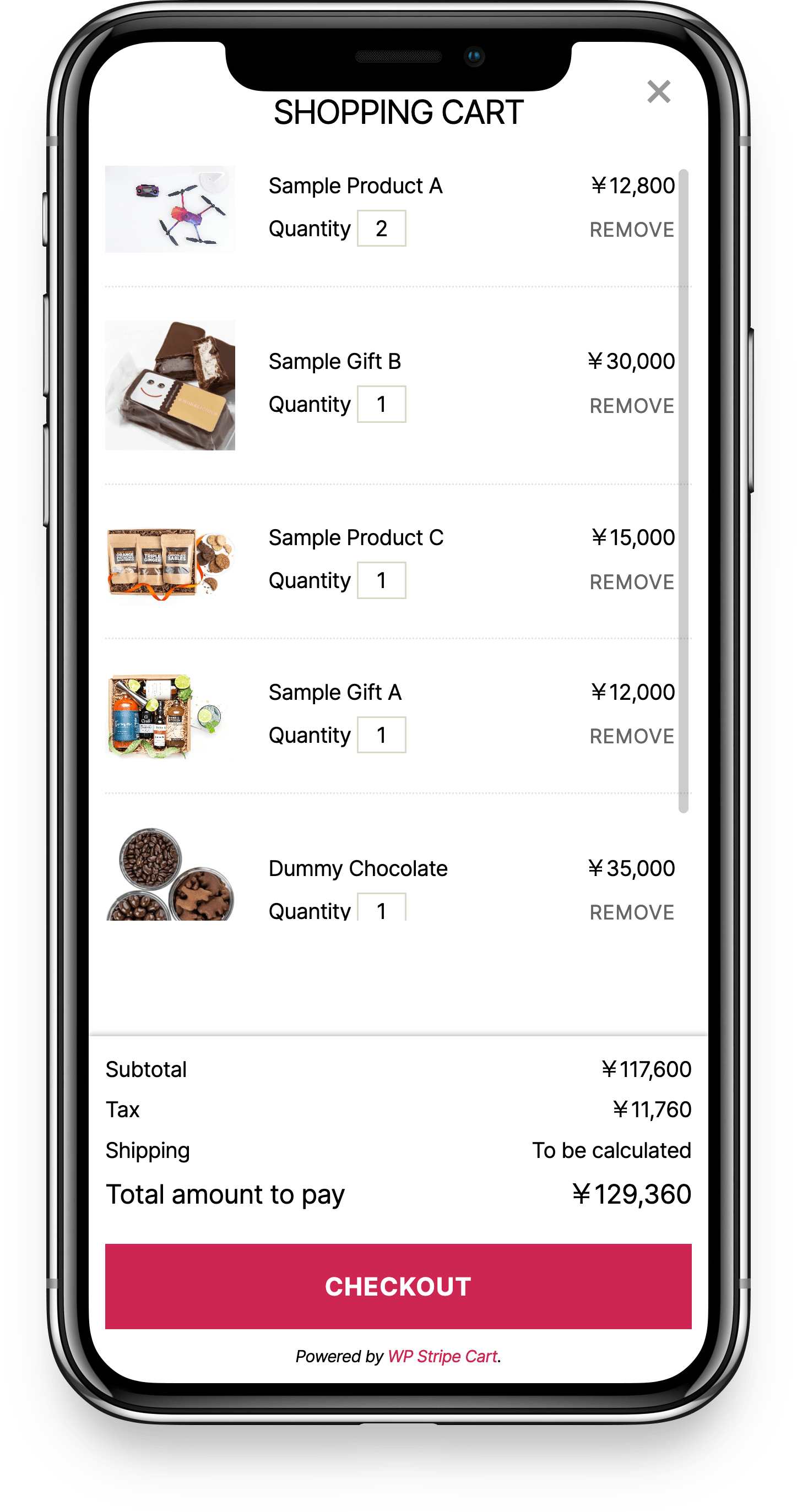
Why WP Stripe Cart?
Mobile First
Mobile-first designed, it is optimized for smartphones that most users use. Of course, it also supports desktops with large screen sizes.
Support Mobile Payments
It also supports mobile payments such as Apple Pay and Google Pay provided by Stripe. Of course, no specialized skill is required. If you setup on the Stripe, you can use it immediately.
No Skills Required
No specialized skill such as HTML or CSS is required to display the product. You can display products on any site by simply inserting a short code into a post or a page.
Custmize As You Like
You can customize the template by purchasing the white label add-on. With a little knowledge of HTML and CSS, you can even adapt your cart screen to your site's design. And Powered by attribute will be removed.

White Label Add-on
You can purchase it for ¥ 30,000 (excluding tax).
No subscriptions required.
How to use White Label Add-on
- After purchase, upload the unzipped folder to your plugins directory.
- Activate the WP Stripe Cart White Label Add-on.
- Change colors â Go to WP Stripe Cart > Settings > Environment > "Design (colors)" and set the button color, button text color, text color, accent color, and corner radius. No CSS or template editing required. Leave a field blank to follow your theme's colors automatically.
- Remove the "Powered by" attribution - It's removed automatically once the add-on is active. No template editing needed.
- Only if you want to change the HTML structure â Create a wsc-template folder in your theme and copy only the template(s) you want to change (product.php / cart.php / checkout.php / cart-icon.php). Any template you don't copy automatically uses the plugin's latest bundled version, so your overrides stay up to date with plugin updates (child and parent themes supported). For full CSS control, you can also place a wsc-template/wp-stripe-cart.css in your theme.